Step 1 — Open Domain Resellerguru Website
Go to: domainresellerguru.com
You will see the domain search section on the homepage.
Step 2 — Enter Your Domain Name In Search Box
Example:yourwebsitename
(Do not add https:// Or www)

Step 3 — Click the Search Button
Click the green Search button to check availability.
If your domain is available, you will see a message similar to:
yourwebsitename.com is available.
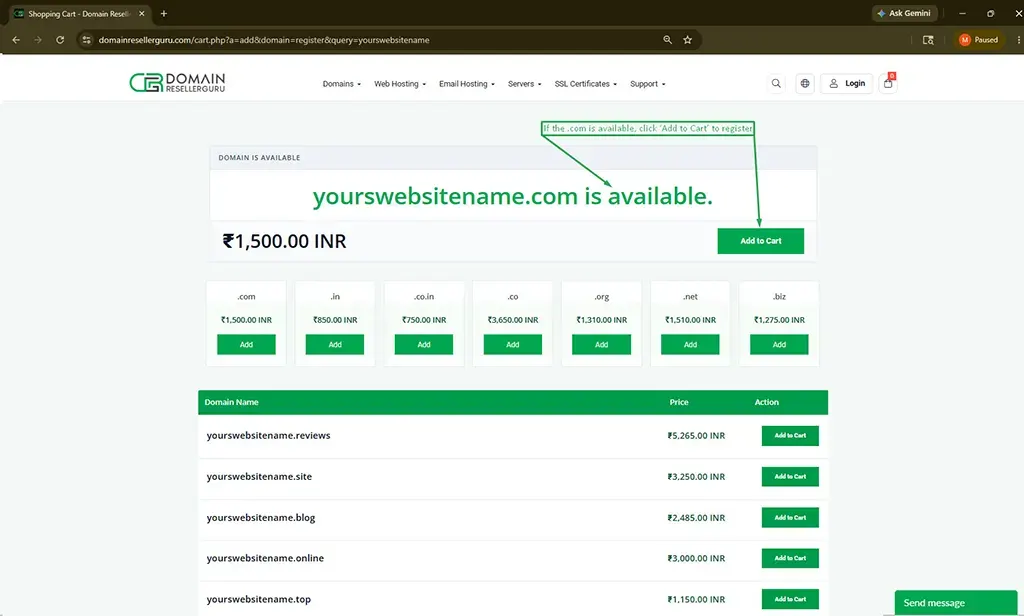
Step 4 — Proceed with Domain Registration
You should also check the domain price because pricing varies depending on the domain extension (.com, .in, .net, .org, etc.).
After comparing the prices, you can click on “Add to Cart” to purchase and register the domain.
If the domain is already registered by someone else, you will see a message like:
yourwebsite.com is unavailable.
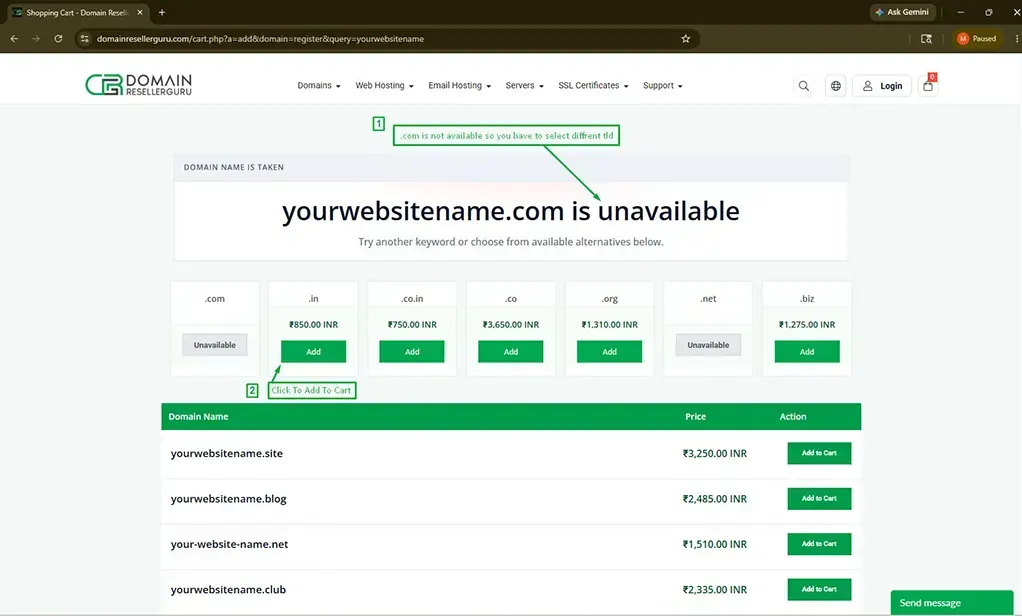
Try another domain name or choose another available extension such as:
- yourwebsitename.in
- yourwebsitename.org
- yourwebsitename.online
- yourwebsitename.site
Then click on “Add to Cart” to continue.